
Restaurant POS comparison: Lightspeed vs Square vs Toast
Restaurant POS choice is integration plus reporting, not the sales pitch. Compare Lightspeed, Square, Toast, check delivery links, avoid payment markups.
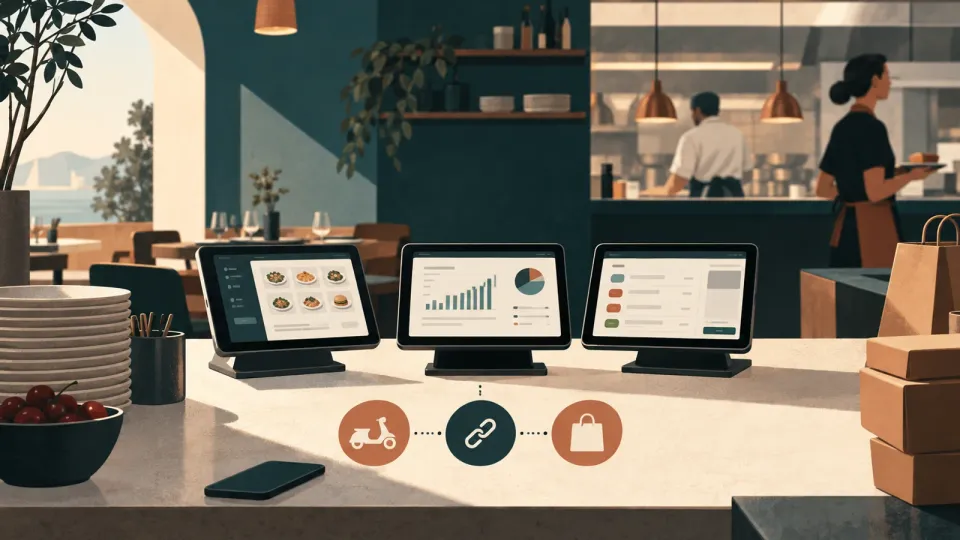
Restaurant POS decision starts with integrations, not features
The fastest way to pick the wrong restaurant POS is to let the rep sell you “features” instead of asking whether your POS can fully run your ordering, delivery, and payments without data gaps.
A POS is really three systems that must agree with each other: (1) order intake (tables, online, delivery), (2) payment authorization and settlement, and (3) operational reporting you can actually use. When these three are loosely connected, you get manual work, wrong menu availability, delayed refunds, and reporting that makes you argue with spreadsheets instead of managing the floor.
Here is the blunt tradeoff I see in restaurants: POS platforms win when they own the whole flow end-to-end, and they lose when you bolt on external delivery aggregators, reservation tools like OpenTable, or payment methods your POS does not truly understand.
For context, Lightspeed positions Uber Eats ordering as something you receive directly in your Lightspeed POS, not just as a separate “notification channel.” (lightspeedhq.com) That integration detail matters because it determines whether your ticketing, modifier logic, and item availability stay consistent.
Before you compare Lightspeed vs Square vs Toast on screens and button counts, answer these three questions internally:
- If an order arrives from Uber Eats or Deliveroo at 7:05 pm, does it land in the same POS workflow as your dine-in tickets?
- If a diner pays by card present at the table and later refunds, does the refund fully reconcile in the POS and your accounting export?
- Can you produce a daily profit view that matches reality, not just what the POS “thinks” happened?
If you cannot answer those from the vendor’s documentation, you are buying a guess.
Hidden cost alert: the “POS subscription” line item is rarely the whole story. Payment processing pricing structures can add a meaningful markup on top of interchange, and that markup is where margin quietly goes to die. (squareup.com)
In my experience, the owners who avoid POS regret are the ones who require an integration proof plan (how orders flow, how refunds flow, how modifiers and taxes flow) before they sign anything.
The 4 POS features that should drive your purchase
If you only evaluate one thing in POS demos, evaluate how the system handles the money and the menu flow under real load. The “must-haves” are four specific capabilities, and you can test all of them without getting lost in UI.
1) Two-way online and delivery ordering flow
Your POS should not treat online ordering as a separate world. You want confirmation that orders from major delivery channels can enter your POS workflow directly and map to the right menu items and modifiers.
Lightspeed, for example, describes an Uber Eats integration that receives Uber Eats orders directly in Lightspeed Restaurant POS. (lightspeedhq.com) That is exactly the kind of integration you should look for during sales calls, not “we can connect via an integration partner” fluff.
Square and Toast often do well here too, but the question is not “do you have an integration,” it is “does it preserve your kitchen logic.” During testing, ask for a live walkthrough of:
- Item mapping, including sold out or unavailable items
- Modifier choices, including sizes, sauces, and substitutions
- Ticket grouping behavior (how many tickets when one order has multiple items)
2) Payments and refund reconciliation
A POS that processes payments is only half the job. The other half is refunds that reconcile cleanly, and receipts that match the actual captured transaction.
Lightspeed’s materials emphasize card-present and card-not-present pricing examples and discuss Interchange Plus pricing structure concepts (the markup above interchange). (lightspeedhq.com) Square publishes its payment fee structure approach and explicitly describes when you pay processing fees (and the fact that it is not a monthly subscription for some “Free” setups). (squareup.com)
During evaluation, ask for a refund test using a real POS environment:
- Take a card-present payment
- Issue a refund
- Verify that the POS, end-of-day report, and payment settlement view agree
If you cannot do a refund test, you are not evaluating the system, you are buying confidence.
3) Reporting depth that ties to margins
Your restaurant needs operational reporting that reflects reality: sales by hour, item performance, voids and refunds, discounts, tax breakdown, and labor-linked operational views.
A misconception I see: owners chase “analytics dashboards” instead of verifying whether reports can answer practical questions like, “Which menu items drive the most profit after discounts and refunds?” If a report can show gross sales but cannot isolate discount impact, it is not decision-grade.
4) Employee workflow that reduces mistakes
This is the boring one, and it is the one that protects you during rush. Your POS should support fast order entry, reduce re-keying, and keep staff on rails.
Look for capabilities like:
- Fast ticket splitting and transferring
- Easy modifiers and reorders
- Error-resistant flows for refunds and comps
Lightspeed support docs describe configuration controls such as receipt printing behavior and refund processing enablement, which is the kind of “small” setting that prevents chaos. (k-series-support.lightspeedhq.com)
Now the practical part: in your buying checklist, do not write “it has good reports.” Write what you need the report to answer and ask to see it on the demo dataset.
Lightspeed vs Square vs Toast: tradeoffs by restaurant type
You should not pick Lightspeed, Square, or Toast based on what works for “most restaurants” because most restaurants are not the same business.
Instead, match the POS to your operational shape: your delivery share, your kitchen complexity, your payment volume, and your reporting needs.
Lightspeed: strong when delivery ordering needs to enter the POS workflow
Lightspeed’s public materials explicitly position Uber Eats order intake into Lightspeed Restaurant POS, which is relevant if your biggest failure mode is kitchen confusion between online and dine-in tickets. (lightspeedhq.com)
Where Lightspeed tends to fit well in practice:
- Restaurants that rely on third-party delivery and want ticketing to remain consistent
- Teams that want configuration controls and operational discipline
Where it can be annoying:
- If you do not commit to integrations upfront, the “it can connect” story can turn into manual work
- If you expect one-click customization of everything, you will hit product boundaries during scale
Square: strong when you want low-friction start and straightforward payment approach
Square leans into “free POS software” messaging, and it states that some free setups require no monthly subscription while you pay processing when you take a payment. (squareup.com) That is attractive if you are cost sensitive early.
Where Square tends to fit well:
- Small to mid-size restaurants that want a quick operational ramp
- Owners who need clear payment fee explanations up front and prefer simplicity over deep enterprise configuration
Where it can hurt later:
- If your operation becomes complex with delivery modifiers, ticket grouping, and advanced reporting expectations, you may find yourself pushing workarounds
Toast: strong when restaurants want a single platform feel, especially around payments
Toast positions itself as a restaurant-first platform and has published payment and platform pricing materials. (pos.toasttab.com) Toast also uses pricing pages that discuss payment processing and rate creation by account, which is a clue that what you pay can vary with your business setup.
Where Toast tends to fit well:
- Restaurants that want integrated ordering, kitchen flow, and payment handling as one cohesive product story
- Operators who value platform breadth rather than assembling everything from separate vendors
Where it can hurt later:
- If your negotiation strategy is weak, “bundled convenience” can become expensive when you start adding modules and payment pricing drifts upward
My rule of thumb: pick the POS that preserves your kitchen truth
The kitchen does not care whether your order came from a table, Uber Eats, or a QR code. Your POS should preserve that truth in the ticket.
So the decisive step is integration validation, not demo screenshots. Ask for:
- A delivery order test with real item modifiers
- A refund test for each payment method you use
- A daily report export test, then reconcile it against a cash drawer count
If the vendor cannot get through those tests cleanly, you are not comparing POS products, you are buying operational risk.
The hidden cost most demos ignore: payment processor markup
The POS price tag is usually visible. The real money leak is the payment processing markup that sits on top of the base interchange cost.
To be precise, card processing fees are built from multiple layers, including interchange and network costs. Interchange is the card issuer cost that depends on card type, transaction type, and jurisdiction. (en.wikipedia.org) On top of that, processors and payment facilitators add their own markup.
In other words: even when two POS systems have similar “software subscriptions,” the payments stack can push your effective rate higher.
Square publicly explains its payment fee structure, and it also emphasizes that Square can have no monthly subscription for certain “Free POS” setups, shifting cost into processing fees when you actually take payments. (squareup.com) Square’s fee structure language also references details like when fees apply.
Lightspeed discusses processing pricing examples and explicitly points to Interchange Plus as a model where payment processors add a markup on top of interchange. (lightspeedhq.com)
Toast positions itself with published payments and pricing materials, and it notes that it is not a processor itself, but it offers payment solutions built around partnerships with processors, with your rate being created based on your business. (pos.toasttab.com) That is not bad by itself, but it means your negotiated processing rates matter.
Here is the practical way to test this cost in a way you can actually control.
The “effective rate” test (no finance degree required)
Get the vendor to provide, in writing, the components or the final blended rate you will be charged. Then do this:
- Pick a week of card sales from your current POS or merchant account.
- Separate card-present versus card-not-present if you have both.
- Calculate your effective processing cost under their stated rate.
- Ask them how refunds and chargebacks are treated in the same pricing structure.
If the vendor refuses to provide pricing components or a clear final structure, the “free” POS pitch should make you uneasy, because they may be making up the difference in processing pricing.
Why this matters more for delivery-heavy restaurants
Delivery and online orders skew more toward card-not-present and different fee structures. That can change your effective rate even if your dine-in card-present fees look acceptable.
If you run a restaurant where delivery is a large share of sales, the payment stack becomes part of your kitchen economics, not back-office trivia.
The mistake to avoid
Do not compare POS systems based only on software subscription. Compare software plus payments, then include the operational cost of mismatched reporting when you switch later.
And if a rep says “it is all the same,” ask for their written processing rate terms and the assumptions behind them. Their silence is its own answer.
Integration check before you buy: OpenTable, delivery apps, and aggregators
You should only buy a restaurant POS after you verify the integration map for your specific ordering stack. Replacing a POS without validating delivery and reservation flows is how restaurants lose hours during launch week.
Start with the reservation and ordering tools you already use. OpenTable publishes information about its restaurant solutions and integrations, which is useful as a baseline for what kind of integration partner ecosystem exists. (opentable.com) Then map those to your POS.
Now validate the delivery channels you actually run. Uber Eats is a common case. Lightspeed describes Uber Eats order intake directly into Lightspeed Restaurant POS. (lightspeedhq.com) That is the kind of detail that reduces the “shadow ordering” problem.
But your integration check should not stop at “orders can arrive.” You must verify that the POS preserves the order semantics.
Here is what to test with each integration, during a real demo or a controlled pilot:
- Menu availability sync: when an item is sold out in POS, does it become unavailable in the ordering app quickly enough to prevent oversells?
- Modifier mapping: do size, spice level, and add-ons transfer correctly, including required versus optional modifiers?
- Tax and fees behavior: do taxes and delivery fees display correctly, and does the POS still reconcile totals?
- Kitchen ticket behavior: are tickets split or grouped in a way your staff can handle?
- Refund flow: if an order is cancelled or refunded, does the POS handle the refund properly and does it show up in reports?
If you use an integration platform approach, verify the data path. For example, Deliverect describes Lightspeed integration capability for two-way ordering between delivery channels and Lightspeed POS. (deliverect.com) That can work, but it is still your job to test modifier correctness and reconciliation, not just order arrival.
The integration trap: “We connect, therefore it works”
Connecting does not mean reliable. A connection can still break item mapping, cause delayed updates, or require manual menu maintenance.
The operational tell is this: ask how many menu fields you must map and maintain, and whether changes sync automatically. If they cannot answer, you will discover it the first time you update your menu before a weekend rush.
A lightweight internal checklist you can use today
Bring the person who will own launch week, the person who will answer the phone, and the person who reads the reports. Review these points:
- Can online and delivery orders enter the same POS ticket workflow as dine-in?
- Do refunds and chargebacks reconcile in POS reports?
- Does menu availability and modifiers mapping sync correctly and quickly?
That is your buy decision filter.
The free POS trap, and why switching later gets expensive
“Free POS” sounds like a gift. In restaurants, it is often a trap because “free” usually means you pay elsewhere, in processing fees, hardware bundles, or reduced reporting and workflow depth that you then compensate for with manual labor.
Square explicitly markets free POS software with no monthly subscription for certain setups, while you pay processing fees when you take a payment. (squareup.com) That can be legitimate. The trap is assuming the rest of the stack will be “free” too, including delivery ordering, payment reconciliation, and reporting exports you can actually use.
A better way to frame the free POS pitch is: what does it cost when you scale? If your restaurant grows, you typically add complexity: more menu items, more modifiers, more delivery volume, more locations, more staff roles, and more expectations from reporting.
That complexity is where “free” setups can force you into paid add-ons or operational workarounds.
Switching later is expensive because it is not a swap, it is a rebuild
When you change POS after you are live, you are not just changing software. You are rebuilding:
- Menu item IDs and modifier structures
- Online ordering and delivery mapping
- Staff permissions and training
- Accounting exports and reconciliation rules
- Report baselines used by management
And you will pay the cost in disruption. Even if the software onboarding is smooth, the first two to four weeks after go-live are when mistakes are most likely.
A misconception: that switching is mainly about migrating data. In practice, switching is mainly about getting the operational workflow right.
The negotiation trap: “lock in and you will regret less”
Some contracts look attractive because they reduce upfront costs. But if processing pricing or add-on module pricing is locked, your cost can rise even when your volume is stable.
So if you hear “free,” ask:
- Is this free POS software or a free trial?
- Are delivery and online ordering included for your channels?
- What payment pricing structure are you using, and how is the markup applied?
- Are there hidden costs for terminals, receipt printers, cash drawers, or setup?
Practical step you can do right now
Request a migration plan before you buy. Ask for:
- How menu and modifiers migrate
- How delivery channel mappings are rebuilt
- A training timeline for your staff
- A day-by-day checklist for launch week
If the vendor cannot provide a credible migration approach, you do not have a POS decision, you have a future firefight.
This is also why integration validation should happen before purchase. If integrations are wrong at day one, switching later becomes your most expensive “fix.”
How to test Lightspeed, Square, and Toast without getting fooled in demos
Demos are designed to show you the product. Testing is designed to show you the business outcome, especially during rush.
So here is a test plan that I would actually use for a restaurant launch decision, and it does not require you to be technical.
Step 1, Bring your real menu and your real ordering mix
Do not test with a generic menu. Use your current menu item names, sizes, modifier rules, and sold-out behavior.
If you do delivery, include your top 10 items and your most complex modifiers. Complexity is where POS bugs become visible.
Lightspeed’s Uber Eats integration story is strongest when order intake is directly mapped into Lightspeed POS workflow. (lightspeedhq.com) Your test should confirm that mapping using your actual items, not their demo catalog.
Step 2, Do a rush simulation and time the workflow
You do not need a full restaurant crush. You need three situations:
- 10 dine-in orders, including split tickets
- 10 online or delivery orders, including at least one cancelled order
- 10 payments, including at least one refund
Time staff actions, like how long it takes to add modifiers, how long it takes to find an order, and whether any steps require a manager override.
Lightspeed support docs and configuration notes show that receipt printing and refund processing controls exist, which is a clue that the platform includes settings that can reduce friction when configured well. (k-series-support.lightspeedhq.com)
Square’s fee approach and free POS messaging are a clue that you should focus on how processing fees will behave for card-present versus online flows. (squareup.com)
Step 3, Verify the money path in writing
Your demo should produce documentation for:
- Card-present versus card-not-present rate structure
- Any payment facilitation terms and what the markup covers
- How refunds are charged back and reported
Square publishes fee details and applies them to payment scenarios. (squareup.com) Toast discusses payments as part of the platform and notes it creates rate for you based on your business. (pos.toasttab.com) Lightspeed discusses Interchange Plus concepts. (lightspeedhq.com)
If a vendor refuses to discuss the structure, you are not evaluating a POS, you are evaluating sales comfort.
Step 4, Run an end-of-day report reconciliation
At the end of testing, pull a report and reconcile it to a simulated cash drawer and card totals.
If the POS cannot produce a clean reconcile view, you will feel that pain every day.
One short list to use in your buying call
- Confirm delivery and online orders land in POS tickets with correct modifiers.
- Perform one payment and one refund test, then reconcile reports.
- Ask for written processing rate structure, including markup logic.
That list is boring. It is also the difference between switching smoothly and switching into a month of operational stress.
This is also where andginja’s practitioner approach shows up in advice: we treat POS evaluation as a system integration exercise, not a UI review. When we shipped real voice and AI workflows for hospitality, the lesson repeated itself: integration quality beats feature marketing every time.
Your POS switch action plan: decide today, de-risk launch week
If you need to switch POS, you do not need a better spreadsheet. You need a decision plan that forces clarity on integrations, money, and migration.
Here is a practical action sequence that you can run this week.
1) Build your integration map in one page
Write down every ordering and reservation touchpoint:
- In-house dine-in flow
- Online ordering (if you use it)
- Delivery channels (Uber Eats, Deliveroo, Uber Direct, other)
- Reservations tool (OpenTable or similar)
Then assign a question per touchpoint:
- “Can orders from this channel arrive as tickets in the POS kitchen workflow?”
- “Does menu availability and modifier mapping stay correct?”
For Uber Eats specifically, validate the claim that orders arrive directly into the POS workflow. Lightspeed describes this for Uber Eats. (lightspeedhq.com) If the vendor uses an integration partner approach, validate the partner path with a test, like how Deliverect describes Lightspeed integration for managing delivery orders. (deliverect.com)
2) Collect payment pricing in a comparable format
Ask each vendor for the same set of information:
- Rate for card-present transactions
- Rate for card-not-present transactions
- How refunds are treated
- Any monthly processing or facilitation fees
Square is transparent about its fee structure approach and its no-monthly-subscription positioning for free POS software in certain setups. (squareup.com) Lightspeed discusses pricing examples and Interchange Plus markup concepts. (lightspeedhq.com) Toast explains payments as part of its platform and positions rate creation based on your business. (pos.toasttab.com)
Your goal is not to find the lowest percentage. Your goal is to compute your effective cost on your actual card sales mix.
3) Require a migration and launch week checklist
Do not accept “we will train you.” Require a plan that includes:
- How menus and modifiers are rebuilt
- How delivery channel mappings are tested
- A day-by-day schedule for go-live and rollback decisions
- Staff training sessions tied to specific workflows (refunds, comps, split tickets)
Switching after you are live is expensive because operational workflows must be rebuilt. Your vendor should respect that reality by showing you the checklist, not by pitching confidence.
4) Make the decision with a single pass/fail test
Pick the POS that wins on these three pass/fail outcomes:
- Delivery and online orders arrive as correct tickets in the POS workflow.
- Payment and refund reconciliation matches end-of-day reports.
- Reports and exports support your daily management decisions.
If one vendor fails one of these, they are out. No amount of feature gloss fixes an integration mismatch.
One specific next step you can do today
Pull your last 7 days of card sales totals, split into card-present and card-not-present if you can. Send that week’s mix to your top two POS vendors and ask them for a written effective rate estimate for that exact mix, including refund handling terms.
That single exercise turns a POS decision from “sales pitch confidence” into a measurable cost and operational risk calculation.
Written by Andre Ginja — Founder, andginja
If choosing or switching POS is on your roadmap right now: Choosing or switching POS? Book a 30-min decision review to validate integrations and payments before you commit. The next step is your call: /contact.
Sources
Use these as the factual backbone for integration claims and payment fee structure concepts:
- Lightspeed Uber Eats integration (orders received in Lightspeed POS)
- Square, Our Fees (fee structure details)
- Square, Free POS software (no monthly subscription, pay when you take a payment)
- Toast pricing and platform payments overview
- Toast payments product page
- Lightspeed, restaurant payment processing plain-English guide (Interchange Plus concept and fee structure examples)
- OpenTable integrations hub
- Deliverect Lightspeed integrations page (two-way integration concept)
(These sources support the integration and payments framing in the body. When you buy, always ask for written rate terms and run your own test orders and refunds in the POS environment.)
About the author
Andre Ginja is the founder of andginja (since 2018), a Lisbon-based studio building Content, Software, and AI for hospitality businesses.
He brings production engineering experience from AvaLabs (Custody product) and has shipped real hospitality systems, including an AI receptionist voice pilot for Appleton Medical Care in Lisbon (PT-PT voice stack with Vapi, ElevenLabs, Twilio, Claude Haiku, and Supabase pgvector).
In hospitality operations, the consistent theme behind his guidance is simple: the decision is about end-to-end workflow reliability, not the demo UI. Past partner work includes Etihad Airways, TAP Air Portugal, Duval, and PBH Group.
Related guides

Restaurant branding from zero: name to bookings
Restaurant branding that converts: naming, menu, signage, and online presence. Get cost ranges, DIY vs pro, and a step-by-step plan to rebrand.

Restaurant marketing: the 4 levers that move covers
restaurant marketing that drives reservations: build Google Business first, then Instagram, then email, then reviews. Stop wasting spend, start booking.

Restaurant name ideas: the 4-part naming framework
Get restaurant name ideas that convert. Use Andre Ginja’s 4 naming archetypes, avoid 3 traps, then check trademarks and domains before you commit.
Restaurant SEO: rank for “best dish near me” fast
Restaurant SEO that actually works: the 4 to 5 levers that move local rankings, plus what to ignore. Book a free audit.