Restaurant social media: Instagram to reservations, deeper
Restaurant social media playbook that turns Instagram into reservations, not vanity metrics. Set IG DM flows, book faster, and post less but smarter.
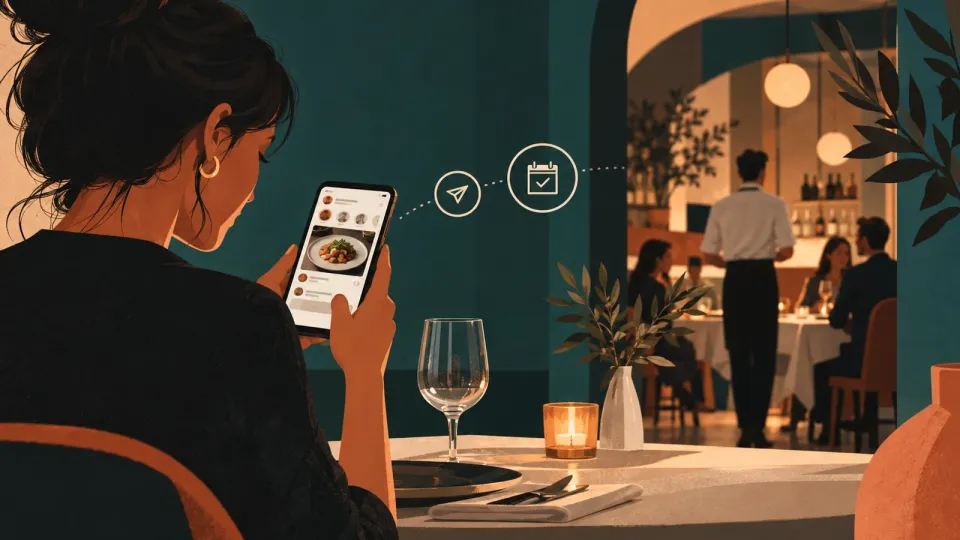
Restaurant social media that actually books: stop posting, start converting
Restaurant social media only works when your account behaves like a booking channel, not a billboard. If your grid looks great but reservations stay flat, the missing piece is almost always the same: you have no fast path from content to a resolved booking request.
Here is the uncomfortable truth we see in real restaurants and boutique hotels: most “social media strategy” is built for reach, while your job is demand capture. Your customer does not need another post, they need an easy next step.
When we set up AI concierge-style flows for hospitality, the best-performing pattern was never “more content.” It was friction removal. Same idea for Instagram.
So your starting point is simple: map one booking journey and then make every piece of restaurant social media point into it.
A practical operator-friendly definition of “conversion content” for Instagram:
- It answers a booking question inside the first screen (times, vibe, location cues, price reality if you can).
- It offers a direct action that you can complete in minutes (DM, link, or reserved slot flow).
- It follows up instantly when someone raises their hand.
Most accounts fail because they optimize for publishing rhythm and aesthetics, then they hope a DM will “just happen.” Instead, build a DM-to-reservation system where the account and your staff are in the same loop.
The next mistake is cadence. Agencies push high posting volume. Restaurants with 1 to 2 staff members serving real guests cannot do that without late replies, missed requests, and customers giving up. We will cover the cadence reality and a system that keeps your inbox sane.
Finally, we will ground this in four specific restaurant content types that drive bookings in practice, because guessing is expensive.
The 4 restaurant content types that drive bookings (and how to prove it)
The fastest way to upgrade restaurant social media is to stop thinking in formats, and start thinking in booking intent. Four content types consistently convert because they reduce uncertainty at the exact moment people decide.
- Proof menus (show what people actually get, not what you wish they ordered) Use short videos or carousels where the food is the hero, but the real win is the context: portion size, plating style, and what it pairs with.
A common misconception: “Menu posts do not get engagement.” That can be true. But engagement is not the KPI, reservations are. Proof menus work because they answer questions like “Is this too small?” and “Will it match what I like?”
Operator move: take 10 customer meals from the last two weeks and create 10 proof cards. Each card gets a simple caption that includes timing (“available from 18:00”), and a DM prompt (“Want this with a table tonight, message ‘TABLE’ with your time”).
- Occasion-based offers (make the reason for booking explicit) People do not book because your salmon is pretty. They book because it solves an occasion: date night, birthdays, pre-show dinners, family gatherings, team dinners.
So create content that names the occasion and gives the booking shortcut.
Example framework:
- Story: “Date night, no drama” (show two mains and two desserts).
- Reel: “Birthday dinner, the 3-course path.”
- Caption: “DM ‘BIRTHDAY’ with how many people and your preferred time.”
- Location and arrival friction killers (turn “maybe” into “yes”) This content type is underrated because it feels boring. It is also the content that removes the last mile doubt that kills conversions.
Show:
- A 20-second “how to get here” clip from a landmark.
- A “what parking looks like” story.
- A “walk-in vs reservation” reality statement.
This works because hospitality purchases are local and uncertain. The more your content makes the arrival feel predictable, the fewer customers ghost your inbox.
- Real service moments (your staff sells faster than your feed) Show the parts that build trust: the greeting, the first pour, the wait time reality, the way you handle dietary notes, the calm during peak.
A key detail: do not make these “day in the life” montages. Make them specific. “How we handle allergies at booking time” performs because it makes the customer feel safe.
How to prove which of the four types works for your restaurant Your proof cannot be “likes look good.” Use a simple attribution method for two weeks:
- In captions and DMs, label the booking prompt by content type (TABLE, BIRTHDAY, ARRIVE, MENU).
- Count how many reservations each label generates.
This is measurable and honest, and it gives you a pattern you can scale.
Now, if your content already exists but results are weak, the issue is usually not the four types. It is the next step, the DM-to-booking flow, and the cadence behind it.
Cadence reality: post less, reply faster, keep the pipeline full
Most restaurant social media plans fail because they demand agency-level output from owner-level teams. The cadence you need is not high volume, it is high response speed plus consistent intent content.
Here is the reality rule we use in hospitality systems: if you post and then your team replies late, you burn trust. If trust burns, the algorithm does not matter because conversions collapse.
So what does “posting less” mean in practice?
- Aim for fewer posts that are built to trigger bookings, not just to fill a calendar.
- Batch creation, but live the publishing from a staff-friendly schedule.
A workable starting cadence for restaurants that are open for dinner:
- 2 to 4 feed posts per week (reels or carousel proof menus and occasion offers).
- Stories 4 to 7 days per week (short arrival friction killers, menu availability, and real service moments).
- One DM prompt rotation daily (the same lead label style, not a random one-off).
The key misconception: “If we post more, we will get more DMs.” That can happen temporarily. But late responses create a reputation loop where the best customers stop asking.
Your goal is to keep every incoming DM inside a promise window. Meta Business Suite supports automated messages like instant replies and away messages inside Inbox automations, which helps you respond quickly when you are not physically available. Meta also describes automations in its Inbox documentation as a way to greet customers, share information, and respond when you are away. About Inbox in Meta Business Suite (Messenger Help Centre)
Also, Instagram and Meta have an official ecosystem for business messaging, including Messenger API for Instagram. Meta announced wider availability of the Messenger API for Instagram messaging, enabling businesses to integrate messaging into their workflows. Meta newsroom: Messenger API for Instagram is now available to all developers
That matters because the operational win is not the automation itself. It is the handoff from “someone messaged” to “someone gets a reservation-ready next step.”
The cadence trap to avoid If you schedule content but you do not schedule inbox time, your feed becomes a museum. Fix the inbox first:
- Pick two daily inbox blocks, one early afternoon and one late afternoon.
- During service, set away messages that set expectations and route them to the booking channel.
In other words, content creates the lead, automation and speed convert the lead.
Next, we will turn your DM into a booking pipeline.
DM-to-reservations setup: the Instagram inbox flow that books
Your Instagram DMs should feel like a waiter taking the order, not like a mystery email thread. The goal is simple: every lead DM gets a booking-ready response, and the booking request is either confirmed immediately or routed into a time slot flow.
A common misconception: “We just reply to DMs.” That is what most restaurants do, and it fails during busy hours because your best lead moments happen when you are serving.
Instead, build a three-layer DM flow.
Layer 1, Meta Business Suite automations for immediate first response Meta Business Suite Inbox can use automations such as greetings and away responses. Meta describes this as helping you respond to messages and share information, including when you are away. About Inbox in Meta Business Suite (Messenger Help Centre)
Setup pattern:
- Instant reply: triggers on a first message, confirms you saw them, asks for party size and preferred time.
- Away message: triggers outside hours, confirms next available booking window, and offers the DM keyword that routes to the right assistant.
Layer 2, a DM “intake” that standardizes booking requests Give your team a script that collects the same fields every time:
- Party size
- Preferred time
- Any dietary notes
Then use that intake to produce the next step.
Layer 3, a booking action that does not require back-and-forth In your DM, you should do at least one of these:
- Send a link to your reservation page.
- Or send a list of available times and let the guest reply with “Option 1, 2, or 3.”
Important: do not pretend you can automate every case. Automations are for the first minute and the routing. Humans close the booking.
How to set this up in a way that your staff can actually follow Make the automation text short and operational. Long messages cause slow reads and confusion.
A starting message you can adapt:
- “Hi! We got your message. For a table tonight, what time and how many guests? Any dietary needs?”
And for away:
- “Thanks for messaging. We are currently serving. If you send party size and preferred time, we will confirm your table on opening. For faster booking, reply with ‘BOOK’ and the time you want.”
Instagram DM automation is supported via Meta’s official messaging platform ecosystem, including the Messenger API for Instagram. Meta also positioned this as enabling richer business messaging experiences. Meta newsroom
What not to do
- Do not send generic “Thanks for reaching out” messages that do not ask for booking details.
- Do not ask for 5 questions. Ask for 2 to 3, then route.
Next, let’s connect this DM flow back to the three content presentation modes on Instagram: stories, reels, and the grid.
Story, reel, grid: what each format should do for reservations
Most restaurants post on Instagram as if every format has the same job. It does not. Each format has a different attention pattern, so each must have a different booking role.
The operator move is to assign a single responsibility to each.
Stories: booking intent in the moment Stories are your “today” channel. Use them for:
- Menu availability updates (“sashimi tonight while it lasts”).
- Arrival friction killers (“entrance looks like this after 19:30”).
- Service moments (“chef plate, then dining room”).
Because stories vanish, they must push immediate DM keywords.
A simple pattern that works:
- Story frame 1, show the plate.
- Story frame 2, add the booking prompt.
- Story frame 3, show timing reality (“from 18:30, last seating 21:30”).
Reels: conversion through trust and speed Reels are your “convince me in 15 to 30 seconds” format. Your reels should do three things:
- Show the food clearly, no shaky montage.
- Show the service context (who gets what, and when).
- Teach one booking decision (“what this is like for date night,” “best if you have allergies,” “how it pairs with a starter”).
Then in the caption, place the DM prompt keyword.
Grid (posts): proof library and searchable memory Your grid is not for discovery alone. It is a reference shelf.
Use grid posts for:
- Proof menus that people can screenshot.
- Occasion offers that are easy to explain.
- Location and arrival posts that reduce doubt.
If someone scrolls and your grid has nothing but random photos, their brain goes to risk. If your grid contains booking-ready proof, their next move becomes “message.”
A common mistake: using reels for everything. Reels are great for trust, but they are not a clean reference. A first-time guest should be able to find “what to order” and “how to arrive” without watching three reels.
How to operationalize this without burning staff
- Create 6 proof menu assets for the grid, then reuse them across stories.
- Create 2 reel scripts per month, one for occasion offers and one for service moments.
Then keep your DM automation intake constant. The content formats bring leads in, the DM flow books them.
Next we address the guest tag strategy, because it is one of the lowest-cost ways to add credibility without paying for influencer spend.
Tag the guest, get the trust, pay no influencer fees
If you want restaurant social media that books, stop chasing influencer reach and start building guest credibility. The best ads you can run are guests doing what they already wanted to do, share you.
The misconception: “Tagging guests is risky because of privacy.” The fix is process, not fear.
Build a guest tagging workflow that is permission-aware and staff-friendly.
What “tag-the-guest strategy” means in practice
- After service, ask for consent to tag in a story or post.
- Offer a prompt that makes it easy for them to share the right thing.
- Only tag the moments you can reproduce consistently, food, ambience, and the arrival moment.
Then create a repeatable set of templates.
Template prompts that get shares without bribery
- “If you loved this, tag us in your story so we can thank you on our side. We repost our favorite dining moments.”
- “DM us your preferred time next time, we will save your table.”
What to share when you do tag guests When you share guest content, your post should still function as a booking asset:
- Include the DM keyword in the story overlay or caption.
- Add the arrival timing hint (“we can usually confirm within minutes after you message”).
Note: if you use automation, do not make it creepy. Guests are not asking for a chatbot. They are asking for a table.
How this replaces paid influencer tactics Influencer content is often disconnected from your real dining room. Guest-tag content is inherently contextual, people recognize the plating, the mood, and the speed.
The downside of guest tagging is that it relies on service moments and consent. That is why it is a process, not a trick.
A practical way to make it consistent Train one staff member to run a “share ask” script at the right moment:
- After desserts.
- When a guest seems happy, not when they are leaving in a rush.
If you are running a boutique hotel restaurant, add a secondary ask for guests who are staying:
- “If you want to book again, message ‘STAY’ and we will handle it for you.”
This builds a relationship, and it gives your Instagram DMs more qualified leads.
Next, we will stitch everything together into a one-week operator runbook, with the exact assets to produce and the DM rules to apply.
Build your one-week conversion sprint (assets, captions, and DM rules)
This is the week-long sprint that turns restaurant social media into reservations without hiring an agency.
Direct answer: in 7 days, you can publish a conversion-ready set of content and turn your DMs into a standardized intake that books, by focusing on 4 asset types and a constant DM workflow.
Here is the sprint plan.
Day 1, audit your existing proof and write 4 DM keywords Pick your four booking-intent labels to match your four content types:
- MENU (proof menus)
- DATE (occasion offers)
- ARRIVE (location and arrival friction killers)
- SERVICE (real service moments)
Then rewrite your captions so every post includes one keyword and the action to DM.
Day 2, build 2 grid posts (proof menus) Create one reel or carousel that shows a dish clearly, and one that shows a second dish with a different pairing.
Caption rule:
- 1 sentence: what it is and the vibe.
- 1 sentence: DM keyword and intake request (“DM MENU with party size and time”).
Day 3, build 2 reels (occasion offers and service moments) Reel 1, occasion offer. Reel 2, service moment.
DM rule:
- Reels always end with the DM keyword prompt.
Day 4, stories that remove arrival doubt Post 3 to 5 story frames:
- Entrance cue.
- Parking cue.
- “What happens after you arrive” cue.
Caption or story overlay includes ARRIVE keyword.
Day 5, guest tag content with consent If you have recent guests with permission, post 3 story reposts and tag the guest.
Include SERVICE keyword and the booking action.
Day 6, tighten the DM automation and staff script Set up your first-message instant reply and away message so leads get asked the right questions immediately.
Meta Business Suite supports automations in Inbox, including greeting customers and away responses, which helps you respond faster even when you are offline. About Inbox in Meta Business Suite
Automation text rule:
- Ask party size and preferred time.
- Ask dietary needs only if you already know you handle them well.
Day 7, measure bookings by keyword, then repeat the winning type Do not measure likes. Measure reservations created per DM keyword.
If MENU drives the most bookings, double down on proof menus next week. If ARRIVE drives more bookings, you need more of the arrival content in stories.
One short checklist to keep this honest (max 1 list)
- Every post includes one DM keyword tied to a booking intention.
- Your first reply asks for party size and time.
- Your away message confirms your next check-in time and routes to the booking action.
This sprint is not theoretical. It is the same structure we use when building hospitality flows: reduce uncertainty, standardize intake, and close the loop.
Next, let’s cover the operational “gotchas” that can quietly sabotage conversions even when the content looks good.
The gotchas that kill reservations (and how to fix them fast)
Restaurant social media can look strong and still produce zero reservations because a few hidden failure modes ruin conversions.
Gotcha 1, you reply, but not within the guest decision window A customer messages because they want a table now or soon. If the first reply takes hours, they assume you are slow, then they book elsewhere.
Fix: automate the first minute response. Meta Business Suite Inbox automations support instant replies and away messages, which Meta describes as helping you greet customers and respond while you are online or offline. About Inbox in Meta Business Suite
Gotcha 2, your DM prompt asks for the wrong info If your DM conversation starts with “What would you like to eat?” you have lost the reservation moment.
Fix: start with party size and preferred time. Then confirm dietary needs as a second question.
Gotcha 3, you use automation but you still sound generic Automation must sound like hospitality, not like a ticketing system.
Fix: write templates in your real tone. Short sentences, direct questions, clear next step.
Gotcha 4, your content does not match your booking offer A reel that promises “date night magic” but your DM intake ignores timing and budget reality creates distrust.
Fix: tie each content type to a single booking action.
- Proof menus, DM MENU.
- Occasion offers, DM DATE.
- Arrival killers, DM ARRIVE.
- Service moments, DM SERVICE.
Gotcha 5, you try to do everything every day Restaurants are not content farms. When your staff is tired, you miss messages and your quality drops.
Fix: reduce posting frequency, increase conversion design quality.
Gotcha 6, you chase influencer spend and ignore guest proof Paying for reach is not the same as buying credibility.
Fix: tag guests with consent and repost proof. It is harder to fake, and it feels real.
Gotcha 7, you assume Instagram features alone will solve the funnel Instagram is just the front door. The funnel is your messages, your reservation system, and your staff loop.
This is why the operational approach matters: the official Meta messaging ecosystem exists so you can integrate business messaging into your workflows, not because you should rely on manual DM replies. Meta discussed Messenger API for Instagram in its newsroom announcement to enable businesses to provide richer messaging experiences. Meta newsroom
Next, we will answer the most common operator questions, with concrete setup advice.
FAQ: Instagram DMs, reservations, and automation for restaurants
How do I turn restaurant social media into reservations, not just likes?
Make your Instagram content behave like a booking request form. Use four booking-intent content types, and include a single DM keyword in every caption or story. Then your DM intake must ask for party size and preferred time so you can confirm in minutes.
Can I automate Instagram DMs without hurting the guest experience?
Yes, if you automate only the first minute and the routing. Meta Business Suite supports automations like greeting customers and responding while you are online or away. Use an instant reply to collect party size and time, then let your team close the booking.
Meta Business Suite Inbox automations are described in Meta’s Inbox documentation. About Inbox in Meta Business Suite
What is the best DM message to start a table booking request?
A good starter DM is short and booking-focused: “Hi! We got your message. For a table tonight, what time and how many guests? Any dietary needs?” This removes ambiguity immediately and gives your team a standardized booking intake.
Should I use reels, stories, or grid for restaurant bookings?
Use each for a different job. Stories handle “today” intent and arrival friction killers. Reels build trust and show specific service moments or occasion paths. Your grid is your proof library, where guests can reference what they want to order and how the dining experience feels.
How do I tag guests without paying influencers?
Ask for consent to tag in stories or reposts at a good moment, typically after desserts or when a guest is clearly happy. Include a booking keyword in your repost overlay, so the guest credibility also becomes a conversion path.
Where should I connect the final reservation step?
Your DM should end with a concrete next action that does not require back-and-forth, like a reservation link on your website or a small set of available times. If you cannot confirm instantly, route to a human quickly and set expectations in an away message.
Meta’s Inbox automation features exist so you can set expectations when you are offline. About Inbox in Meta Business Suite
What is the biggest mistake restaurants make with Instagram automation?
The biggest mistake is using generic automated messages that do not collect booking details. If your first automated response does not ask for party size and preferred time, guests still have to do the thinking, and they will often ghost.
If you want to build the system properly, use automation for speed and routing, then humans for confirmation. That is the operator-friendly version of automation.
Conclusion: convert tomorrow, not next month, book faster today
If your restaurant social media is not producing reservations, it is not because Instagram is broken. It is because your content is not wired to booking intent, and your DMs do not resolve the decision quickly.
The quickest path to improvement is to build one conversion loop:
- Use four booking-intent content types (proof menus, occasion offers, arrival friction killers, real service moments).
- Keep cadence staff-friendly, fewer posts, more conversion design, and faster replies.
- Set up a DM-to-reservations flow with Meta Business Suite automations for instant reply and away expectations. Meta describes automations as a way to greet customers and respond when you are away. About Inbox in Meta Business Suite
- Assign each Instagram format a job (stories for today, reels for trust, grid for proof).
- Tag guests with consent so credibility becomes part of your funnel.
From what we have shipped in hospitality systems, this is the difference between “posting content” and “running a booking channel.”
Your next step today, do this in 30 minutes:
- Pick your four DM keywords (MENU, DATE, ARRIVE, SERVICE).
- Rewrite the captions of your next 3 posts so every post has exactly one keyword and one DM prompt that asks for party size and preferred time.
- In Meta Business Suite, set an instant reply and away message so leads get a response when your team is serving. Use Meta’s Inbox automations described in their documentation. About Inbox in Meta Business Suite
Then measure reservations by keyword over the next 7 days, and repeat the winner.
Related guides
Social media marketing for vacation rentals: Instagram to bookings
Social media marketing for vacation rentals, Instagram to bookings. A STR playbook that cuts vanity metrics and turns DMs into direct reservations.
Restaurant branding from zero: name to bookings
Restaurant branding that converts: naming, menu, signage, and online presence. Get cost ranges, DIY vs pro, and a step-by-step plan to rebrand.
Restaurant marketing: the 4 levers that move covers
restaurant marketing that drives reservations: build Google Business first, then Instagram, then email, then reviews. Stop wasting spend, start booking.
Restaurant name ideas: the 4-part naming framework
Get restaurant name ideas that convert. Use Andre Ginja’s 4 naming archetypes, avoid 3 traps, then check trademarks and domains before you commit.